
In the modern remote work landscape, professional workstation setups are often judged by the height of the ergonomic chair, the layout of the split keyboard, or the resolution of the dual-monitor arm. Yet, one of the most critical elements affecting long-term cognitive endurance, macular health, and daily productivity is routinely neglected: environmental light quality.
Many remote professionals suffer from chronic digital eye strain, late-afternoon headaches, and unexplained mental fatigue. While these symptoms are frequently blamed on prolonged screen time, advanced optical research reveals a different culprit: severe contrast imbalances between the monitor and the surrounding architectural space.
To design a workspace that sustains peak performance without compromising biological well-being, mastering the interplay between task lighting and ambient lighting is essential. This guide breaks down the structural, optical, and ergonomic differences between desk lamps and floor lamps, outlining how to deploy them in tandem for an optimized, bio-adaptive workspace.

The Hidden Mechanics of Digital Eye Strain
When you work in a dimly lit room or rely solely on a standard, unshielded overhead fixture, your eyes are forced to adapt to extreme luminance differences constantly. Your computer monitor acts as an active, direct light source, while the desk surface and surrounding walls remain dark or unevenly shadowed.
This imbalance forces the pupillary sphincter muscles to continuously dilate and constrict as your gaze shifts between your bright screen and the dark background. This microscopic, repetitive muscular exertion is the primary driver of pupillary fatigue.
To mitigate this, professional workspace designers utilize a Layered Lighting Strategy, dividing space into two distinct optical components:
Task Lighting: High-intensity, localized illumination focused precisely on documents, keyboards, and physical desktop assets.
Ambient Lighting: Diffused, wide-angle illumination designed to elevate the baseline light level of the room, eliminating stark shadows and softening the visual transition from screen to wall.
Evaluating the Form Factors: Desk Lamp vs. Floor Lamp
Choosing between a desk lamp and a floor lamp is not merely an aesthetic decision; it is an optimization choice based on architectural space, task complexity, and optical distribution.
1. Desk Lamps: The Core of Localized Focus
A professional desk lamp is engineered for precise spatial control. By placing the light source closer to the task area, it maximizes localized lux (luminous flux per unit area) exactly where structural tasks occur—such as reading fine print, technical drawing, or tactile keyboard input.
Advanced task lamps, such as the Nurmina Desk Lamp Pro 9080, distinguish themselves by utilizing architectural-grade asymmetrical light distribution. Instead of casting light in a symmetrical cone that reflects directly off your monitor screen into your eyes, it projects an angled optical beam that floods the desktop while completely neutralizing screen glare.
2. Floor Lamps: Masters of Spatial Contrast
While a desk lamp anchors your immediate field of vision, a floor lamp commands the vertical and horizontal perimeter of the room. A standard ceiling light projects light downward, often creating harsh shadows directly beneath objects. In contrast, a premium floor lamp is designed to utilize indirect wall-washing or ceiling reflection.
By throwing light upward and outward against architectural surfaces, a high-caliber floor lamp, like the Nurmina Floor Lamp Pro 9180 transforms walls and ceilings into giant, soft diffusers. This technique eliminates dark corners, balances the harsh glare of your primary display, and triggers a biological sense of spatial openness, which significantly reduces environmental stress.
The Synergy Matrix: Ergonomic & Technical Comparison
To understand how these two form factors operate under professional parameters, review the architectural lighting matrix below:
|
Ergonomic Metric |
Desk Lamp Pro 9080 |
Floor Lamp Pro 9180 |
Dual-Source Synergy (The Ideal Setup) |
|
Primary Lighting Layer |
Task Layer: Direct, localized illumination for high-focus zones. |
Ambient Layer: Indirect, diffused illumination for spatial balance. |
Complete Eradication of Shadows: The floor lamp softens the room, while the desk lamp sharpens the task. |
|
Optical Coverage |
Localized (Floods 1.5 - 2.5 m² of active workspace). |
Volumetric (Elevates baseline lux across 10 - 15 m²). |
Balanced contrast across the entire primary and peripheral fields of view. |
|
Glare Management |
Asymmetric optical path avoids screen reflection. |
Indirect ceiling reflection eliminates direct glare points. |
Total eye comfort; removes the "cave effect" of dark walls behind a bright screen. |
|
Color Rendering Index (CRI) |
Ra 90+ Standard; ultra-high color fidelity for physical assets. |
Ra 90+ Standard; consistent spectral quality across the room. |
True-to-life color rendering, preventing the visual fatigue caused by low-CRI spectrums. |
|
Best Used For |
Continuous typing, document review, close-up technical work. |
Video conferencing backgrounds, relaxation windows, ambient contrast fill. |
24-Hour Circadian Alignment: Seamlessly shifts from high-focus daylight to warm evening wind-down. |
Architectural Placement for Peak Ergonomic Performance
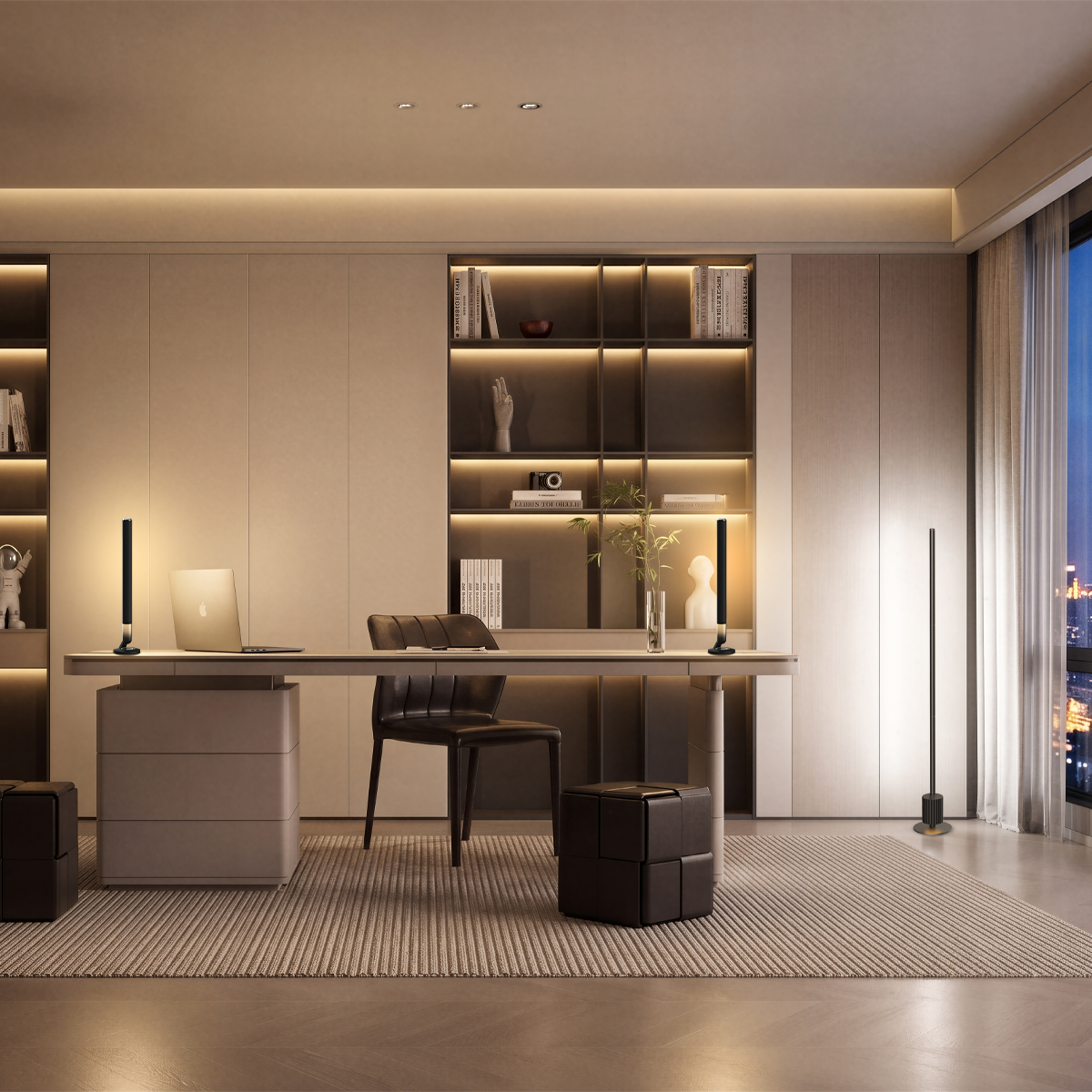
To achieve a professional-grade lighting environment using the Nurmina Pro Series, follow this dual-axis installation blueprint:
Axis 1: The Asymmetric Desk Setup
Position your Desk Lamp Pro 9080 on the opposite side of your dominant hand to eliminate writing shadows. Adjust the articulating arm so the light-emitting head sits parallel to your desk, below eye level but above the monitor frame. This ensures that the specialized, anti-glare light path blankets your documents and keyboard without casting raw light into your pupils.
Axis 2: The Perimeter Floor Setup
Place your Floor Lamp Pro 9180 in a corner or directly behind your monitor workstation, roughly 30 to 50 centimeters away from the wall surface. Angle the omnidirectional head toward the wall-ceiling junction. This creates a beautifully soft, reflected ambient glow that radiates behind your screen, completely neutralizing the jarring contrast of a bright display in a dim room.
Want to dive deeper into how specific light spectrums impact your cognitive endurance? Explore our technical analysis: Decoding Light Quality: Why CRI 90+ and Spectral Integrity Matter for Your Workspace.
FAQ: Optimizing Your Remote Workspace Lighting
Q: Can I use a smart RGB floor lamp from standard gaming brands as my primary office backup light?
A: While many RGB lamps from popular consumer brands excel at dynamic saturated color effects for entertainment, they often lack spectral density in the crucial white light spectrum. For a professional workspace, you require a high color rendering index (CRI Ra 90+) and optimized R9 (deep red) values found in architectural-grade systems like the Nurmina Pro Series. This ensures text looks crisp and your eyes do not strain to decode shapes.
Q: If I can only afford one upgrade right now, should I choose a desk lamp or a floor lamp?
A: If your work involves reading physical papers, assembling hardware, or handwriting, prioritize the direct task precision of the Desk Lamp Pro 9080. However, if you spend 100% of your time looking exclusively at a pre-lit digital monitor and suffer from immediate eye strain, starting with the Floor Lamp Pro 9180 placed behind the monitor will provide rapid relief by correcting the severe background contrast.
Q: How does proper lighting improve video call quality for remote workers?
A: Overhead ceiling lights create harsh shadows under your eyes and nose (the "raccoon eye" effect). By using a floor lamp to bounce light off the back wall as a fill light, and a desk lamp dialed to a soft color temperature to gently illuminate your face from a side angle, you create professional, three-dimensional studio framing without blinding yourself with cheap ring lights.